Network Options
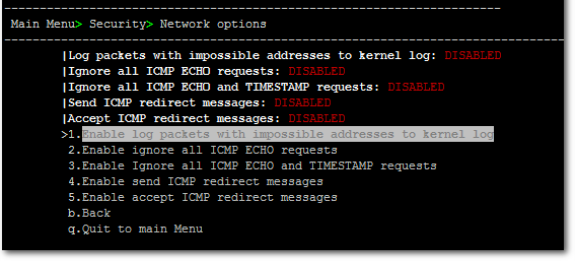
This menu option provides the following options to enhance network security:
|
■
|
Ignore Internet Control Message Protocol (ICMP) Echo requests: This option ensures that the OVOC server does not respond to ICMP broadcasts, and therefore such replies are always discarded. This prevents attempts to discover the system using ping requests. |
|
■
|
Ignore ICMP Echo and Timestamp requests: This option ensures that the OVOC server does not respond to an ICMP timestamp request to query for the current time. This reduces exposure to spoofing of the system time. |
|
■
|
Send ICMP Redirect Messages: This option disables the sending of ICMP Redirect Messages, which are generally sent only by routers. |
|
■
|
Ignore ICMP Redirect Messages: This option ensures that the OVOC server does not respond to ICMP Redirect broadcasts, and therefore such replies are always discarded. |
This prevents an intruder from attempting to redirect traffic from the OVOC server to a different gateway or a non-existent gateway.
|
➢
|
To enable network options: |
|
1.
|
From the Security menu, choose Network Options, and then press Enter. |
Network Options
|
2.
|
Set the required network options. |